Organization and Plan
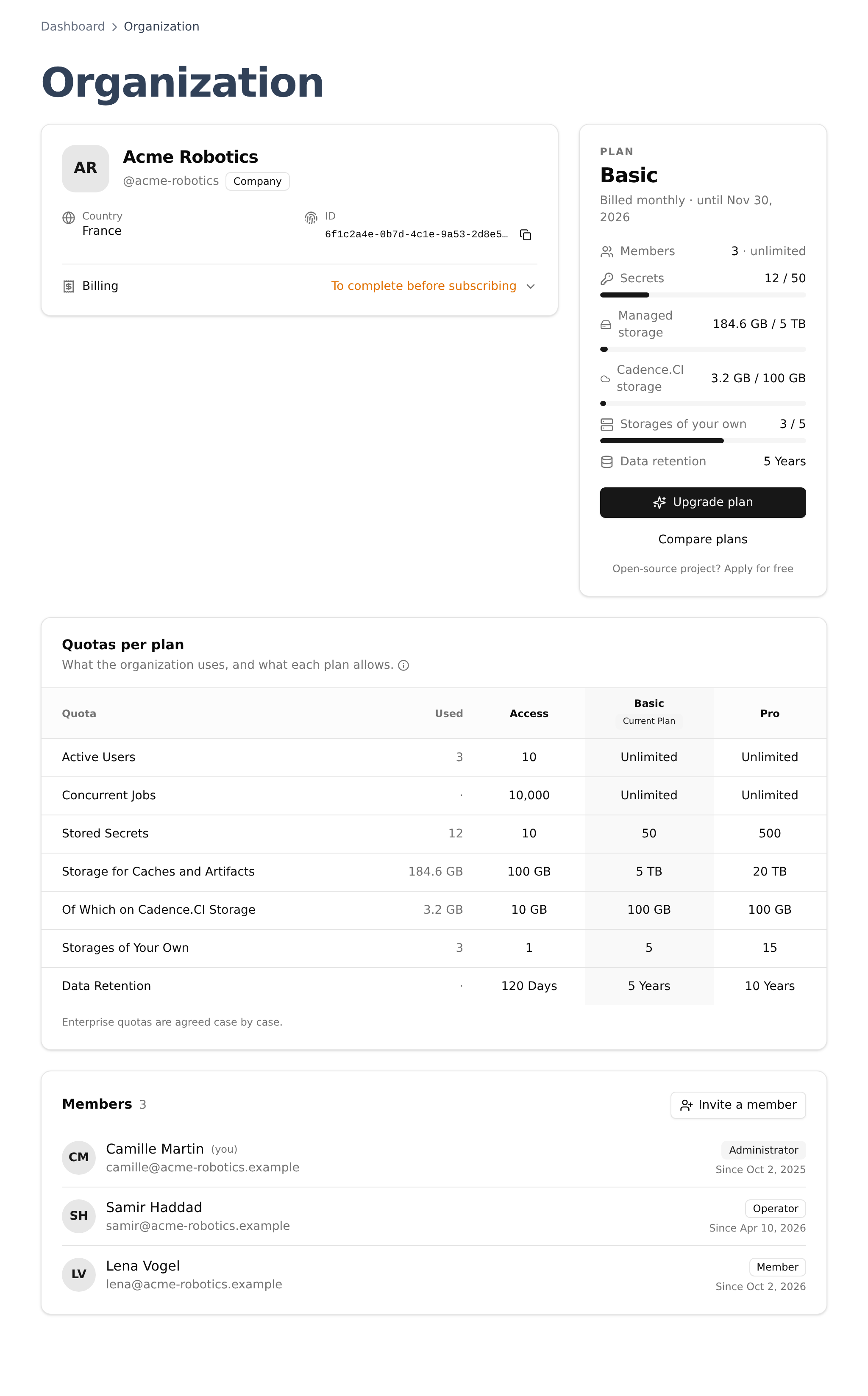
Everything in Cadence.CI belongs to an organization: runs, cloud accounts, keys, secrets, caches and artifacts. The Organization page, under Account, shows who is in it, which plan it is on, and how much of each quota it uses.
Members and Roles
The Members card lists everyone in the organization, with their role and the date they joined. Administrators invite new members by email with Invite a member, choosing their role:
- Member reads everything the organization runs and keeps;
- Operator also connects clouds, writes secrets and manages caches and artifacts;
- Administrator also invites members, adds storage, creates artifact tokens and manages the plan.
The Dashboard Tour details what each role does, page by page. If you belong to several organizations, switch between them with the selector at the top of the page, or from your Profile.
Your Plan
The Plan panel names the plan of the organization, how it is billed and until when. Below, each quota has a line with what the organization uses against what the plan allows, and a bar that turns orange near the limit and red at it:
- Members: the people in the organization.
- Secrets: the secrets stored on Cadence.CI. The ones Cadence.CI keeps for itself, such as the keys of a cloud account, do not count.
- Managed storage: caches, artifacts and run reports, wherever they are kept (see Storage).
- Cadence.CI storage: the part of the managed storage kept on Cadence.CI’s own storage.
- Storages of your own: the buckets added on the Storage page.
- Data retention: how long artifacts are kept by default.
Upgrade plan opens the checkout, and Compare plans the pricing page. Plans bought through the Clever Cloud marketplace are changed from the Clever Cloud console instead. Open-source projects can apply for a free plan.
Quotas per Plan
The Quotas per plan card puts every quota side by side: what the organization uses, and what each plan allows. The column of the current plan is marked.
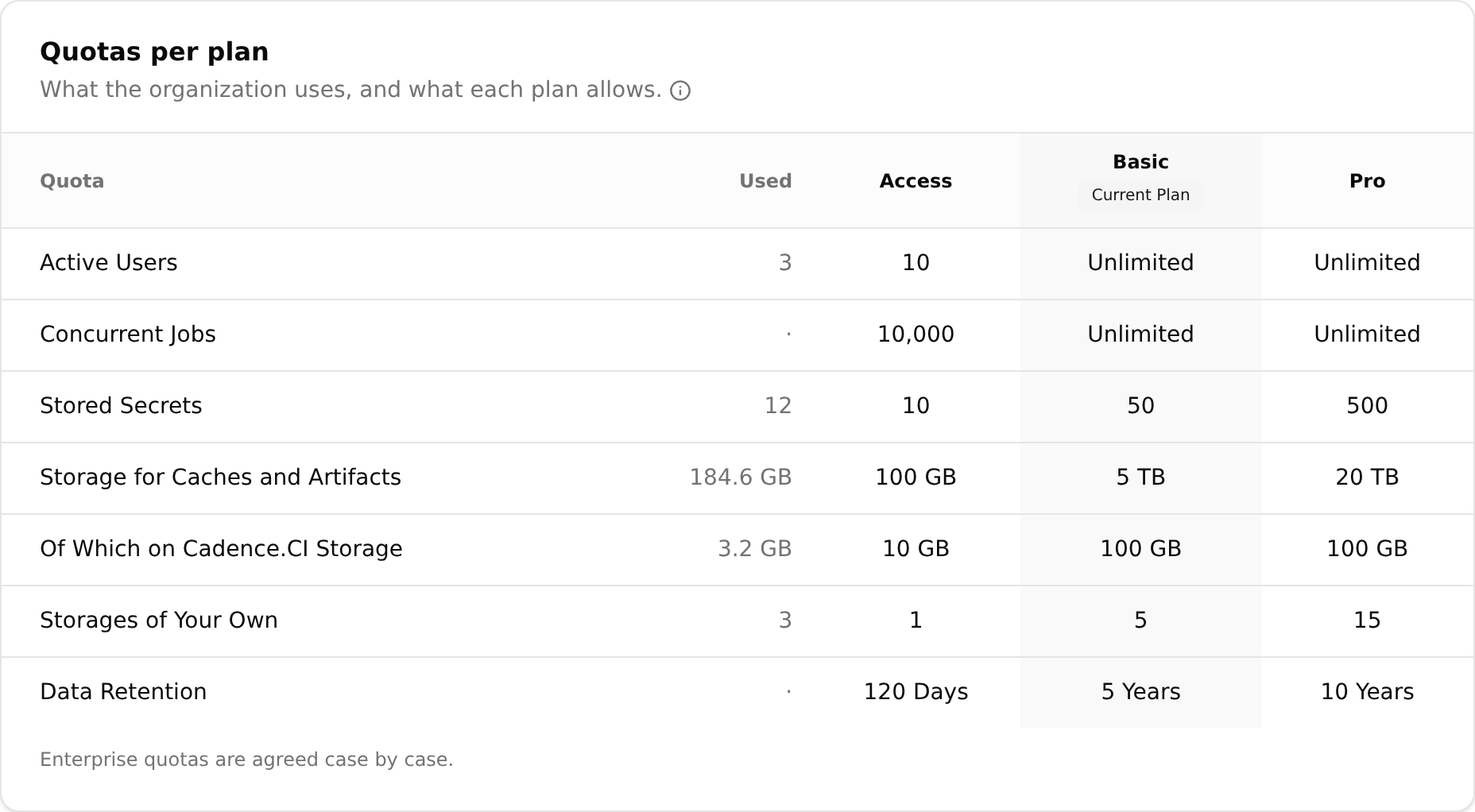
| Quota | Without a plan | Basic | Pro |
|---|---|---|---|
| Members | 10 | Unlimited | Unlimited |
| Concurrent jobs | 10,000 | Unlimited | Unlimited |
| Stored secrets | 10 | 50 | 500 |
| Managed storage | 100 GB | 5 TB | 20 TB |
| Of which on Cadence.CI storage | 10 GB | 100 GB | 100 GB |
| Storages of your own | 1 | 5 | 15 |
| Data retention | 120 days | 5 years | 10 years |
The open-source plan has the quotas of Basic. Enterprise quotas are agreed case by case. The card and the pricing page read the secrets, storage and retention quotas from Cadence.CI itself, so they always show the limits that apply.
What Happens at a Limit
- Secrets and storages of your own: adding one more than the plan allows is refused. Storages already added keep working after a move to a smaller plan.
- Storage: when an upload does not fit, the least recently used cache versions make room. Artifacts are never evicted: when evicting caches is not enough, the upload is refused and the run says so. Storage explains it in detail.
Changing Plan
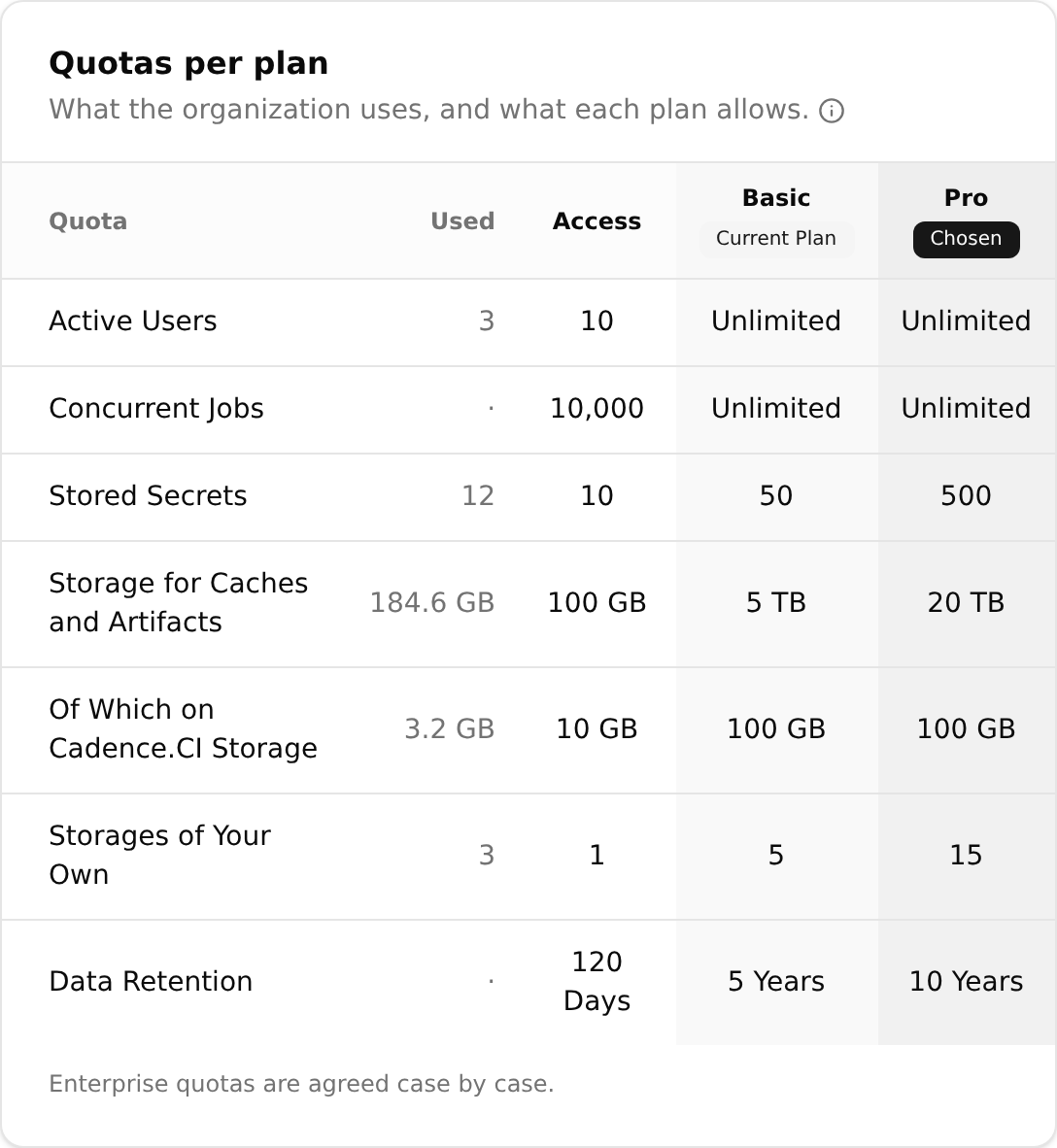
The Upgrade page is a checkout in three steps: the plan and its billing period, the billing details of the organization, then a review. Next to the plans, the same Quotas per plan card marks the plan you are choosing, so you see what changes before paying.
Only administrators change the plan. The billing details, such as the address and VAT number, are filled once, in the Billing part of the organization card.