Caches
Builds spend much of their time downloading dependencies and compiling what has not changed since the last run. A cache keeps a directory, such as downloaded crates or a build directory, so that the next runs start from it.
How Caches Work
A cache is a directory saved under a name, for the runs of your organization. Each save makes a new version of it, and the version saved last is the one runs restore: a cache follows what the runs build. When two runs save the same name at once, the one finishing last wins. When a run asks for a name that does not exist yet, it goes on from an empty directory, with a warning in its logs.
A save holding exactly what the current version holds keeps nothing new, so saving after every run costs no storage when nothing changed. A replaced version is deleted an hour later, once the downloads already started on it are over.
A program can also name a cache after what it depends on, such as cargo- followed by a digest of Cargo.lock, and restore another name, such as cargo, when that one does not exist yet: falling back is up to the program.
Runs restore and save caches with the token of the machine executing them, while they run. Archives are checked against their SHA-256 before they are used, so an archive altered in storage is never extracted, and every restore is recorded on its run, misses included, with the name asked for, the version restored and its digest.
Public runs have a set of caches of their own. Caches written by public runs, and by the runs they start, are read and written by public runs only, and other runs keep to their own set. What the merge request of a fork caches stays out of private runs, and what a private run caches stays out of public logs.
Cache Scopes
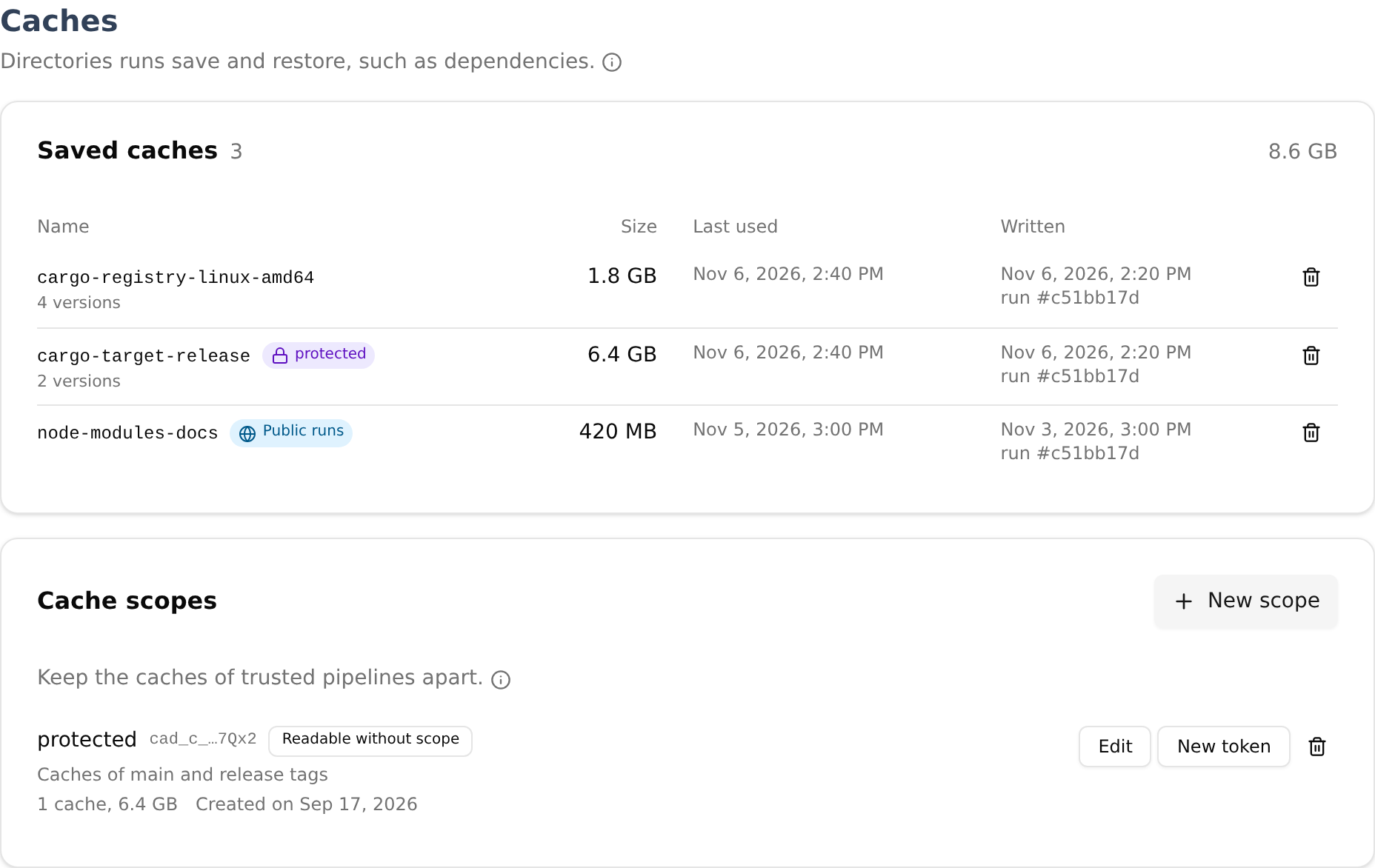
Without scopes, every private run of the organization reads and writes the same caches: any of them can write a cache that the others then restore and build with. A cache scope keeps caches apart, with a token of its own (cad_cs_...).
A run requested with a scope’s token reads and writes the caches of that scope only, and so do the runs it starts. Runs without a token use the organization’s default caches. Whoever holds the token writes the scope’s caches: give it only to the runs you trust with what the scope’s runs build. Programs never see it: the run request carries it, and programs only name caches, so the same program runs in a scope or without one.
A scope can be readable without scope: a run without a token that misses a name in the default caches then restores it from that scope, and never writes there. Those runs start from what the scope’s runs saved instead of starting cold. Values revealed from secrets are refused in caches, but anything else in the scope’s caches becomes readable by the code those runs execute: this is off by default.
A scope token found in a public place is revoked at once, and the scope’s caches are deleted, since anyone holding the token could have written them. Runs are refused with it until the scope gets a new token, and the runs started before the leak never reach the scope again.
In a Program
Programs restore and save caches with the work/cache area of Mélodium, and the steps of the cicd package take a cache to restore before their commands and to save once they succeed. A cache is a directory of any filesystem the program reaches, the engine’s or an executor’s volume. It is archived, compressed, checked and uploaded while it is read, and restored the same way into a directory that replaces the previous one once its digest is checked.
Saving refuses an archive holding a value the engine revealed from a secret, in a file or in a name.
Managing Caches
The Storage page of the dashboard, under Resources, lists the caches of the organization, most recently used first: name, scope, size of the current version, number of versions, last use, creation, and the run that wrote the current version. Caches written by public runs carry a mark. Administrators and Operators delete caches with all their versions: runs asking for a deleted name miss it, and the next run saving that name writes it again.
The page of each run lists the caches it asked to restore, in order: restored, with the scope it came from, or missed.
The same page lists the cache scopes, with their caches. Administrators and Operators create scopes, change their description and whether runs without scope read them, and give them a new token; the token is shown once. Administrators remove scopes, with their caches.
Caches count towards the managed storage of your plan, and the least recently used versions are evicted when room is needed, replaced ones first. With storage of your own, caches go to its primary bucket. Caches stay on the primary: being easy to rebuild, they are left out of replication.
Going Further
- Run Artifacts: keeping what a run produced.
- Storage: quotas, and keeping caches in a bucket of your own.
- Keys: the format of cache scope tokens, and what happens to a leaked one.
- The
work/cachearea of the Mélodium reference.